Hard Drive Clicking or Grinding? What to Do (and Not Do)
Hard drive clicking or grinding? Turn it off now. What the noise means, what not to try, and how data recovery works for Hilton Head and Bluffton customers.
HHI Computer Guys

IT, websites and search for the Lowcountry.
Deleted the wrong folder? Drive clicking? Computer won't start and the only copy of your files is on it? Stop using it. For our managed IT clients we handle recovery, and the less that happens to the drive from here, the better the odds.
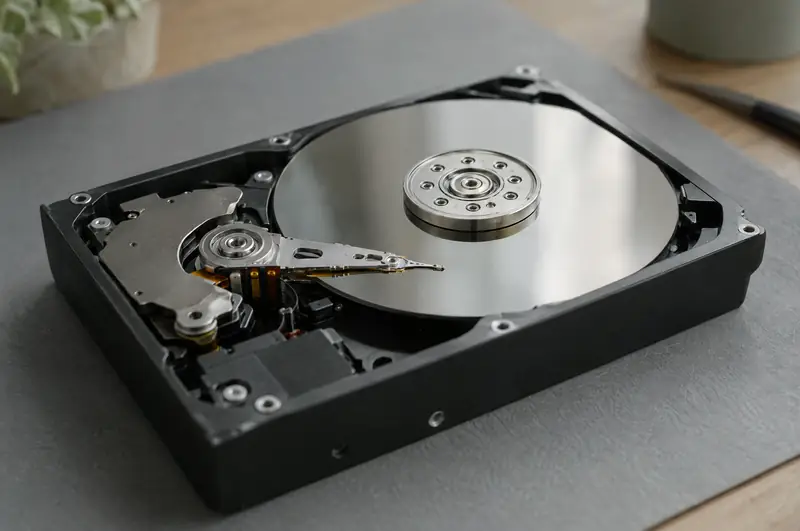
If the drive is clicking, grinding or buzzing, turn the computer off now. Those sounds usually mean the read heads are damaged, and every minute it runs can scrape away data for good. Don't run recovery software and don't keep restarting it to check. Our guide hard drive clicking: what to do explains why.
Deleted files, a formatted drive, a reinstalled system, corrupted partitions, a computer that won't boot but whose drive is healthy. We can usually handle these on our own bench with specialist recovery tools.
Clicking, grinding, not detected at all, dropped or water-damaged. These need a clean-room lab. We assess the drive, arrange a lab evaluation and quote, and handle it from there.
Figure out which kind of failure it is without making it worse.
Where possible, we copy the drive before working on it, so recovery happens on the copy.
We try the quickest, least expensive method before escalating.
Your files back on a new drive or computer, with a backup set up so this is the last time.
A free assessment looks at your computers, network, email and backups, and tells you plainly what needs attention.
A failing hard drive isn't repaired so you can keep using it; it's replaced, and the job is getting your data off it safely. What we can fix is the computer around it: a new SSD, your system restored or reinstalled, and your files back where they were.
Repair is part of our managed IT service. We repair computers for businesses on a managed IT plan, and we no longer take one-off repairs for home users. Clients: call (843) 422-2201 and we'll fix it over a remote session or on site.
For businesses, the real fix is backup and disaster recovery that makes a dead drive a non-event.
No. Computer repair is now a service for businesses on our managed IT plans, so it's handled as part of looking after your office.
Often, but a clicking drive needs clean-room recovery, not software. Turn it off and don't keep trying it. We'll assess it and arrange a lab evaluation and quote.
Logical recoveries done on our bench cost far less than physical, clean-room recoveries. We'll tell you which kind yours is and quote before any work starts.
Stop using the computer or drive right away so the space isn't overwritten, then call us. The sooner recovery starts, the better the chances.
Sometimes. Deleted data on SSDs is often wiped quickly by the drive itself, so the odds are lower than on older hard drives. Failed SSDs that disappear entirely may need a lab.
A backup nobody has tested is a hope, not a plan.
Desktops, laptops and Macs diagnosed and fixed for the businesses we look after, by the same local team that has been doing it on the island for more than fifteen years.
Laptops take a beating: dropped bags, spilled coffee, sand, humidity and years of being carried around.
We've worked on iMacs and MacBooks alongside PCs for years, and we look after the Macs in our managed IT clients' offices: slow Macs, startup loops, full disks, data that needs saving and moving to a new machine.
Hard drive clicking or grinding? Turn it off now. What the noise means, what not to try, and how data recovery works for Hilton Head and Bluffton customers.
Call, or send a few lines about your business or your computer. You'll hear back from a person who can actually fix it.