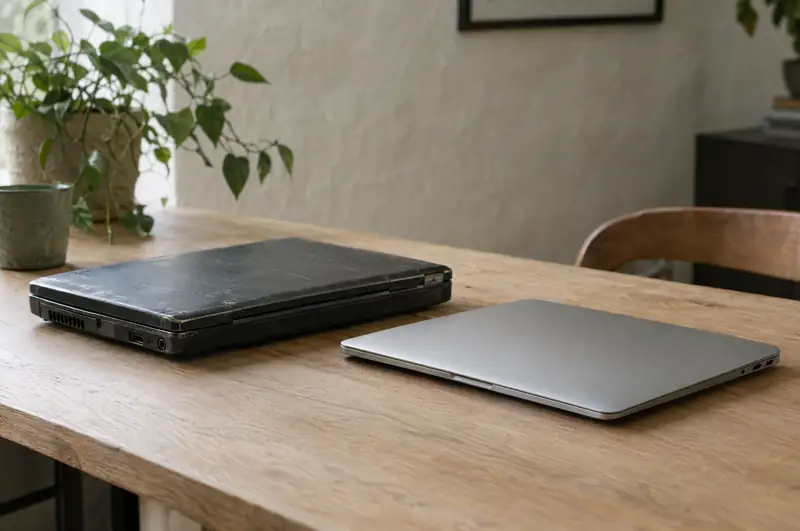
Your laptop is acting up. The battery dies in an hour, the screen flickers, a hinge cracked, or it just takes forever to do anything. Is it worth fixing, or is it time for a new one?
There's no single answer, but there is a sensible way to think it through. This is how we walk people through it.
Start with the age of the laptop
Age isn't everything, but it sets the starting point.
- Under about three years old: almost always worth repairing, and it may still be under warranty. Check that first.
- Three to six years old: it depends on what's wrong. A battery, keyboard or drive repair usually makes sense. A dead motherboard often doesn't.
- Older than that: repair it if the fix is simple and small compared to the value of the machine, or if it runs something you can't easily move, like an older program you depend on. Otherwise, start planning a replacement.
What's actually failing
Which part broke matters more than anything else.
Battery
Batteries wear out. That's normal, and replacing one is one of the most routine laptop repair jobs we do. One thing never to ignore: a swelling battery. If the trackpad is bulging, the case is separating, or the laptop rocks on a flat table, stop using it, unplug it and call us. Swollen lithium batteries can be a fire risk.
Screen
Cracked or dead screens can usually be replaced, and on a laptop that's otherwise healthy the repair generally makes sense. A flicker that changes as you move the lid is sometimes the display cable rather than the screen itself, which is a smaller job.
Keyboard
Spilled coffee or a few dead keys. On some models the keyboard is a separate part and a quick swap. On many thinner laptops it's built into the top half of the case, which makes the job bigger. If you spill something, power the laptop off right away, unplug it, turn it upside down and call us. Don't turn it back on to see if it still works.
Hinges
Hinges loosen and crack, and on some laptops the hinge mounts break out of the case. Catching it early matters, because a failing hinge can damage the screen cable or the screen.
Storage
Slow startups, freezing and disk errors often point to the drive. If it's an older spinning hard drive, replacing it is an easy call, and it's also the best upgrade you can make. If it's an SSD that's failing, it can usually be replaced too. Either way, get your data off first.
Motherboard
No power at all, no picture, liquid that reached the board, or a broken charging port soldered to the board. Salt air and humidity are hard on ports and connectors here, so corrosion is something we check for.
A board failure is the repair most likely to tip an older laptop toward replacement, because the board is the heart of the machine. We'll tell you plainly if we don't think it's worth it.
The upgrade that gives an older laptop a second life
If your laptop is slow but otherwise sound, an upgrade can make it feel new for a fraction of the cost of a new machine:
- Replace a spinning hard drive with an SSD. Startup, opening programs, searching files: everything gets dramatically faster. We copy your existing Windows, programs and files across so nothing has to be set up again.
- Add memory (RAM) if the laptop has a free slot or replaceable modules. More memory helps when you keep lots of browser tabs and programs open at once.
The catch: many newer and thinner laptops have memory soldered to the board, and on some the storage is soldered too. We check your exact model before recommending anything. Our PC hardware repair page covers upgrades and part replacements in more detail.
Windows 10 changed the math
Microsoft ended support for Windows 10 in October 2025. A Windows 10 laptop still turns on and works, but it no longer gets regular security fixes, and that gap gets riskier every month. That's a real problem for any computer you use for banking, email or business. Microsoft's extended update programs are a temporary bridge, not a long-term plan.
So for a Windows laptop the key question is: can it run Windows 11? Windows 11 needs a reasonably recent processor and a security chip called TPM 2.0. Many laptops built before about 2018 don't qualify.
- If it qualifies: repairs and upgrades still make sense, and we can move it to Windows 11 at the same time.
- If it doesn't: a simple fix might be fine for light use, but larger repairs are hard to justify. For a business computer, we'd recommend replacing it.
Want us to take a look?
Tell us what's going on. You'll hear back from a person who can actually fix it.
Macs: check Apple coverage first
If it's a Mac, check its warranty status before anything else. Enter the serial number on Apple's coverage site (checkcoverage.apple.com). If it's under Apple's warranty or AppleCare, covered repairs should go through Apple, and that's usually the right route.
Out of warranty, the same thinking applies as with a Windows laptop, with one difference. On Macs with Apple's own chips (M1 and later), memory and storage are built into the board and can't be upgraded. Some older Intel Macs can be.
Batteries, screens, keyboards and other parts are still repairable. Also, like Windows 10, older Macs eventually stop getting macOS updates, so if yours can't run a current version, factor that in. Our Mac repair page has more on what we handle.
Your data comes first, either way
Whether you repair or replace, step one is the same: make sure your files are safe. Before any repair, we'll ask what's on the laptop and whether it's backed up. If the laptop won't start at all, the files are often still on the drive and can be copied off.
If the decision is to replace, don't recycle, sell or hand down the old laptop until everything has been copied off and checked on the new one.
Moving to a new laptop without missing a step
If it's time to replace, the move matters as much as the machine. We can help with:
- Choosing a laptop that fits how you actually use it, not the most expensive one on the shelf.
- Copying documents, photos, desktop files and browser bookmarks.
- Reinstalling programs and getting email, printers and Microsoft 365 working again.
- Wiping the old drive properly before it leaves your hands.
- Setting up automatic backup on the new laptop so the next failure isn't a crisis.
A quick decision checklist
- Is it under warranty or AppleCare? Use that first.
- Is the problem a battery, screen, keyboard, hinge or drive? Usually worth repairing.
- Is it a motherboard failure on an older laptop? Usually time to replace.
- Is it a Windows laptop that can't run Windows 11? Lean toward replacing.
- Is it slow but otherwise healthy? Look at an SSD and memory upgrade first.
Call us for a straight answer
If your laptop is acting up and you're not sure which way to go, give us a call. We help people all over Hilton Head Island and Bluffton, and we'll tell you honestly whether it's worth fixing. Call (843) 422-2201 or reach us through our contact page.